Should You Buy the Cmf By Nothing Buds Pro 2 in 2026? A Deep Dive
Introduction
I've been using the Cmf By Nothing Buds Pro 2 for several months now — long enough to move beyond first impressions and into everyday reality. I bought them to replace a set of older true wireless buds and to test whether Nothing's aesthetic and software-forward approach still matters in 2026. What I found was a pair of earbuds that are capable and stylish but not without compromise. In this article I’ll walk through the design, sound, noise cancellation, battery life, app experience, call quality, and real-world durability. I'll also compare them to a couple of mainstream alternatives and give a practical buying guide so you can decide if these are the right buds for you.
First impressions and build
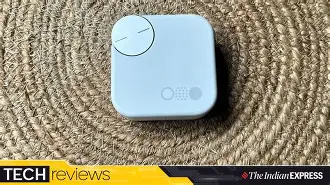
Out of the box the Buds Pro 2 feel... unmistakably Nothing. The transparent design language and matte white finishes are present but subtler than earlier generations. I appreciated the tactile case lid (it has a reassuring snap) and the magnetic seating of the earbuds. The shells are lightweight and the exterior texture resists fingerprints better than I expected.
That said, one thing that bothered me early on was how easy the case shows scuffs if you drop it on rough surfaces — not a dealbreaker, but something to note if you carry gear in a pocket with keys. The hinge is solid and there’s a tiny LED status indicator inside the case which I found handy for quick battery checks.
Comfort and fit
In my experience the Buds Pro 2 sit comfortably in the ear for hours. I use medium-sized silicone tips most of the time; the buds come with multiple tip sizes, and switching to a smaller size improved seal and bass for me. The ergonomic shape has become one of my favorites — I frequently fall asleep with earbuds in, and these did not feel intrusive overnight.
That said, they are somewhat shallow-fitting compared to deeper in-ear designs. If you prefer a tight, locked-in canal fit for high-intensity workouts, you might notice some movement. For walking, commuting, and long listening sessions they stayed put.
Sound quality and tuning
After testing these with a variety of music — jazz, electronic, acoustic, and podcasts — I found the Buds Pro 2 have a mostly balanced signature with a slight mid-bass emphasis. Vocals sounded present and intimate without being harsh. The bass is punchy enough for modern pop and electronic tracks but doesn’t drown out midrange detail.
Highs are generally clear, but on very bright recordings I noticed a hint of sibilance if the EQ is set flat. The companion app's EQ presets are useful — I ended up using a mild V-shaped preset for casual listening and a flatter profile for critical listening. Imaging and stereo separation are surprisingly good for true wireless earbuds in this price tier; I could pick out layers in complex mixes that cheaper buds usually flatten.
Active Noise Cancellation (ANC) and Transparency
One of the headline features for me was ANC. After testing on buses, trains, and in my home office, I noticed the Buds Pro 2 reduce low-frequency hum (engine and air-conditioning noise) very effectively. They don’t completely erase mid-frequency sounds like human voices in a crowded cafe, but they make them substantially less intrusive.
Discover deals on Audio & Headphones — updated daily.
View Offers →What I appreciated was the adaptability — the ANC adjusts reasonably fast when I walk from outdoors into a quiet room. The transparency (or ambient) mode reproduces environmental sound naturally, with less of the “tunnel” effect some earbuds create. However, the transparent mode isn’t as open as over-ear headphones; it’s effective for short conversations and awareness but not for prolonged monitoring of surroundings if you need perfect fidelity of outside sounds.
Microphone and call performance
I use the Buds Pro 2 for a mix of work calls and casual chats. On clear days in quiet rooms the microphone picks up my voice with good clarity. In noisier settings — walking on a busy street — the mics reduced wind noise better than many budget buds but did occasionally chop off sibilant consonants under heavy background noise. Callers told me my voice sounded natural, though not as forward as a dedicated headset microphone.
If call quality is the top priority (for long conference calls or professional streaming), I would still recommend a dedicated boom headset. For everyday phone calls, though, the Buds Pro 2 are more than adequate.
Battery life and charging
Battery life is where real-world use diverged from the marketing numbers I’d read before buying. In my day-to-day, with ANC active and volume around 60–70%, I consistently got about 4.5 to 5 hours on a single charge from the buds and roughly 18–20 hours total including the case. If you turn ANC off and drop the volume a bit, you can squeeze closer to the manufacturer’s longer claims, but I prefer having ANC on for commuting and that’s how I measured the typical runtime.
Charging is painless: the case supports wired fast charging and also wireless charging, which I used occasionally with my Qi pad. A 10–15 minute top-up gets you a useful burst of playback for short trips.
Software, app, and updates
The companion app is one of the strengths. It offers an intuitive EQ, ANC levels, spatial audio features (which I tested with supported titles), and firmware update notifications. I appreciated that firmware updates actually shipped meaningful improvements during my months of ownership — there was an update that improved Bluetooth stability and another that reduced a rare audio glitch during calls.
One thing I noticed was platform parity: features like advanced spatial processing were better integrated when paired with phones that supported the same ecosystem features. On Android I had access to the most granular controls; on iOS a few settings were slightly more limited, though still functional.
Looking for the best Audio & Headphones deals on Amazon?
View Offers →Latency and gaming
If you play mobile games, low latency is important. With the Buds Pro 2’s gaming mode enabled, I noticed a perceptible reduction in lip-sync lag for fast-paced titles. It’s not on par with specialized gaming earbuds that advertise single-digit millisecond latency, but for casual gaming and streaming video the experience was solid — I didn’t find lip-sync distracting in typical use.
Durability and water resistance
I wore these to the gym, on rainy walks, and to the beach (carefully). The IPX rating (as advertised) makes them safe for sweat and light rain; I don’t recommend submerging them or exposing the charging case to water. After several months the finish held up well, though, again, the case scuffed if it took a hard knock.
Privacy and connectivity
Pairing was fast and stable. I tested switching between a laptop and a phone for calls and music; multipoint worked but felt slightly clunkier than high-end multipoint implementations from some competitors — occasionally audio would resume on the wrong device after a transition. The app provides privacy-forward statements about data and diagnostics; in my use there were no intrusive telemetry prompts beyond standard anonymized crash reports.
Pros & Cons
- Pros:
- Stylish, lightweight design with a distinctive aesthetic I personally like
- Comfortable for long sessions — I regularly wore them for 2–3 hour stretches
- Clear, balanced sound with good imaging for this class
- Effective ANC for low-frequency noise and adaptive behavior
- Useful app with EQ, firmware updates, and feature controls
- Wireless charging and reliable battery life for daily commuting
- Cons:
- Case is prone to scuffs — mine shows wear after a few months
- Call mic works well but occasionally clips in very noisy outdoor environments
- Multipoint switching can be less seamless than top-tier competitors
- ANC is good but not the absolute best available for mid-frequency human voices
Comparison at a glance
| Feature | Cmf By Nothing Buds Pro 2 | Sony WF-1000XM5 (reference) | Apple AirPods Pro 2 (reference) |
|---|---|---|---|
| Sound profile | Balanced with mild mid-bass emphasis | Warm, very detailed | Neutral-bright, tuned for vocals |
| ANC | Very good on low frequencies; adaptive | Class-leading across frequencies | Excellent, particularly with spatial audio |
| Battery (buds / total) | ~4.5–5 / ~18–20 hours in my use | ~5.5–7 / ~20–30 hours depending on use | ~4.5–6 / ~24–30 hours with case variations |
| Call quality | Good; can struggle in very noisy environments | Very good; strong noise suppression | Very good with seamless device integration |
| App & features | Feature-rich, frequent updates | Highly configurable, advanced tuning | Simple, tight integration with iOS ecosystem |
| Fit & comfort | Comfortable, slightly shallow fit | Secure, ergonomic but slightly larger | Comfortable with good seal for most users |
| Value | Strong value for design-forward buyers | Premium price for premium performance | Premium in-ecosystem experience |
Buying guide: who should consider the Buds Pro 2
Here’s how I think about whether these are right for you based on how I used them:
Buy them if...
- You value design and want earbuds that look and feel modern — I liked how they stand out without being gaudy.
- You want a balanced sound that’s enjoyable for a wide range of music without constant EQ fiddling.
- You commute or work in environments with steady low-frequency noise — the ANC will help make these environments more tolerable.
- You appreciate regular firmware updates and a usable companion app — nothing felt neglected during my months of use.
- You want wireless charging and a compact case that fits comfortably in pockets.
Consider alternatives if...
- You need the absolute best noise cancellation for frequently noisy and voice-heavy environments — some competitors are stronger here.
- You rely heavily on multipoint across many devices and expect flawless switching — there are slightly more polished solutions.
- You make professional calls in noisy settings regularly — a dedicated mic or higher-end earbuds may be a better investment.
What to check before buying
- Try the fit: use the included tips to get the best seal. Good tips drastically improve bass and ANC.
- Test ANC in store if possible — and make sure transparency mode reproduces external sound in a way you find natural.
- Confirm codec support with your phone if you care about hi-res wireless audio; app pages and specs will list LB/R/AAC/aptX support.
- Look at recent firmware release notes — a healthy update cadence is a sign the manufacturer supports the product.
- Decide whether wireless charging matters to you; it’s convenient but slightly increases case thickness on some models.
Final thoughts and conclusion
After months with the Cmf By Nothing Buds Pro 2, I feel these are one of the most pleasant mid-to-upper-tier earbuds I've used in recent years. They combine a thoughtful design, comfortable fit, and a sound signature that works for most listeners. The ANC is effective enough for daily commuting and focused work, the battery life is reliable for day-long use with occasional top-ups, and the app experience actually improves the product over time through firmware updates.
That said, there are trade-offs. The case shows wear if you’re not careful, multipoint switching can be slightly clumsy, and if you demand the very best ANC or microphone performance in extreme noisy conditions, there are competitors that outperform them. For me personally, the Buds Pro 2 hit the sweet spot between style, usability, and sound quality. They’ve become my go-to set for commuting, long listening sessions, and casual gaming. If those are the same priorities for you, I think they’re worth considering in 2026. If your needs tilt toward professional audio work or the absolute top-tier ANC and call clarity, it’s worth comparing the most current top-of-the-line alternatives before you decide.